.png "HistorSTL — STL Files for 3D Printing Historical Miniatures: Warriors & Military Models")
Why Do Resin 3D Printed Miniatures Develop Spots, Streaks, and White Marks After Washing and Curing?
Why Do Spots, Streaks, and Lines Appear on Miniatures After Resin 3D Printing?
High-quality 3D printing of historical miniatures using a resin printer makes it possible to achieve incredible detail, which is especially important for historical figures, collectible toy soldiers, and tabletop games. However, many SLA and MSLA printer owners face an unpleasant problem: after washing and final curing, white spots, streaks, or visible lines remain on the surface of the miniature.
Let's take a look at why this happens and how to achieve a perfectly clean surface on your finished miniature.
.jpg)
The Main Cause — Residual Uncured Resin
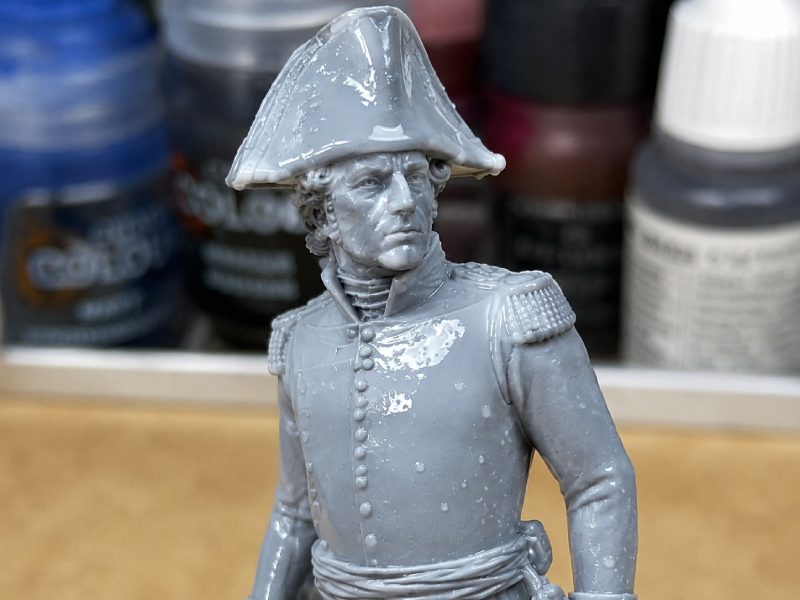
In most cases, spots appear because a thin layer of liquid resin remains on the surface of the model after printing. If this resin is not completely removed during washing, it will cure during UV exposure and leave visible marks.
This problem is especially common on:
historical miniatures with a large number of fine details;
figures with deep folds in clothing;
models with hard-to-reach recesses;
parts with textured surfaces.
Use a Two-Stage Washing Process
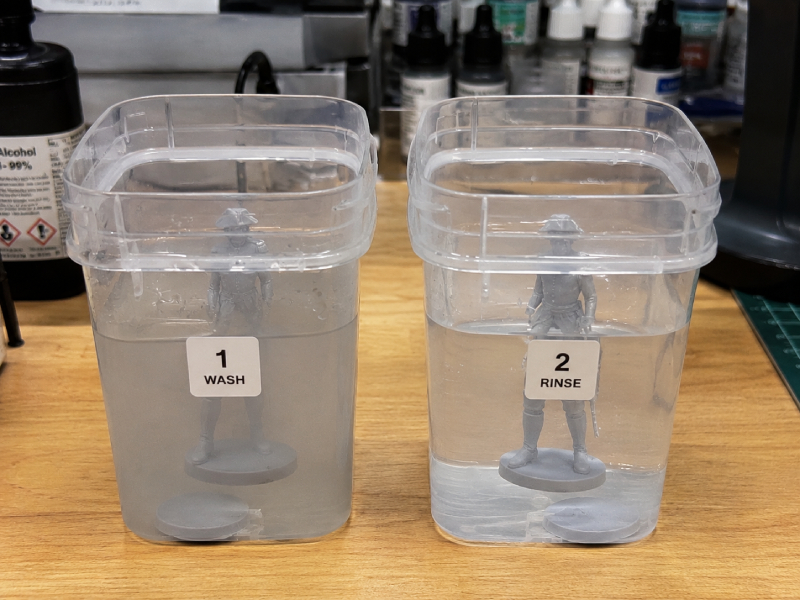
For the best results, it is recommended to use two separate containers filled with cleaning solution.
First Wash
Removes the majority of uncured resin from the surface of the model.
Second Wash
Performed in clean isopropyl alcohol (IPA) or a dedicated resin cleaner. This stage removes the thin resin film that can later turn into spots and streaks.
If both washing stages are performed in contaminated liquid, the likelihood of surface defects increases significantly.
Keep Your Alcohol Clean
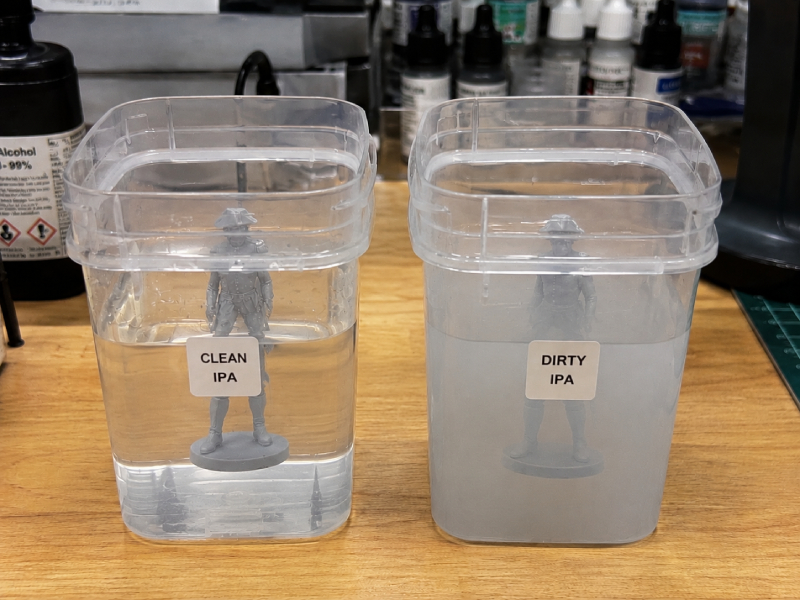
Even high-quality IPA gradually becomes saturated with dissolved resin over time.
Signs of contaminated alcohol include:
cloudy liquid;
sticky surfaces after washing;
white streaks after drying;
loss of detail on fine elements.
Regularly replacing or filtering your IPA helps maintain print quality and prevents defects.
Allow the Model to Dry Completely Before Curing
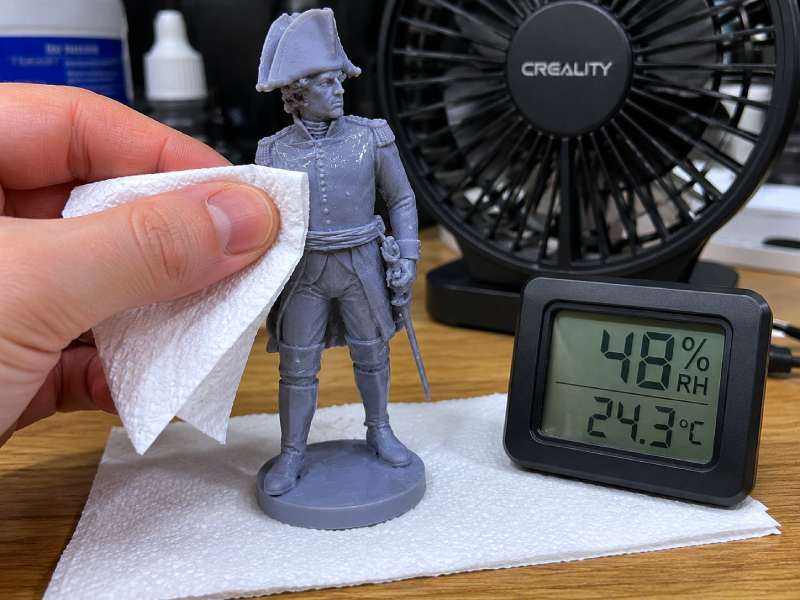
One of the most common mistakes is placing a miniature into the UV curing station immediately after washing.
Residual alcohol trapped in recesses and between details can leave white marks after curing.
It is recommended to:
allow the model to dry completely;
use compressed air to remove liquid from hard-to-reach areas;
wait 15–30 minutes before final curing.
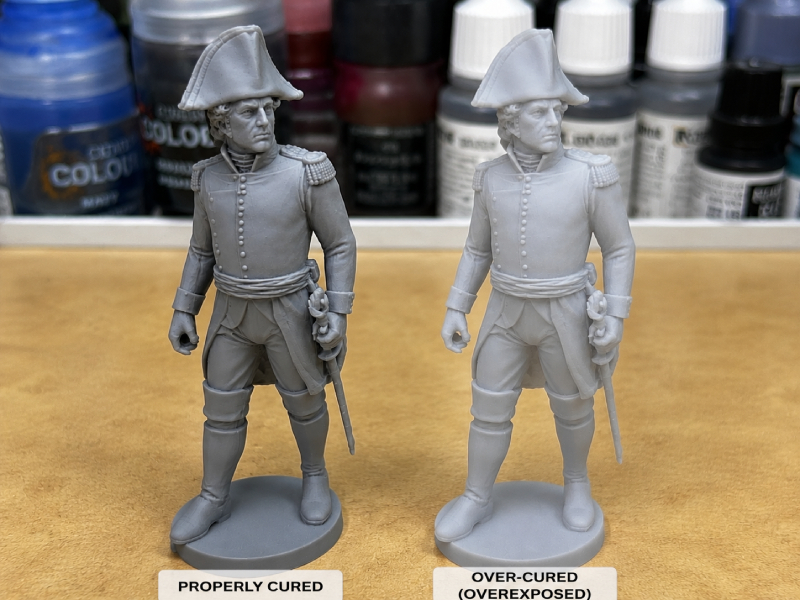
Do Not Over-Cure the Model
Excessive UV exposure can cause:
yellowing of the resin;
matte or chalky areas;
white spots and discoloration;
loss of fine details.
Every resin has its own recommended curing time. Follow the manufacturer's guidelines and avoid increasing curing times unnecessarily.
Special Considerations for Water-Washable Resins
When using water-washable resins, streaks may appear due to minerals and salts found in tap water.
To avoid this problem:
perform a final rinse with distilled water;
thoroughly dry the model before UV curing.
If the Lines Do Not Disappear
Sometimes the issue is not related to post-processing but to the printing process itself.
Possible causes include:
layer height that is too large;
incorrect exposure settings;
poor model orientation on the build plate;
Z-axis vibrations or wobble.
For miniatures, it is recommended to use a layer height of 0.03–0.05 mm and position the model at a 30–45 degree angle to achieve the smoothest possible surface.
Conclusion
Most spots, streaks, and lines on resin miniatures are caused not by the resin itself but by post-processing mistakes. Clean alcohol, a two-stage washing process, complete drying before curing, and proper UV exposure times will help you achieve a flawless surface free from defects.
If you print historical miniatures for collecting, painting, or tabletop gaming, proper post-processing is just as important as correct printer settings.
And if everything is done correctly, you can achieve a result like this.
.jpg)


